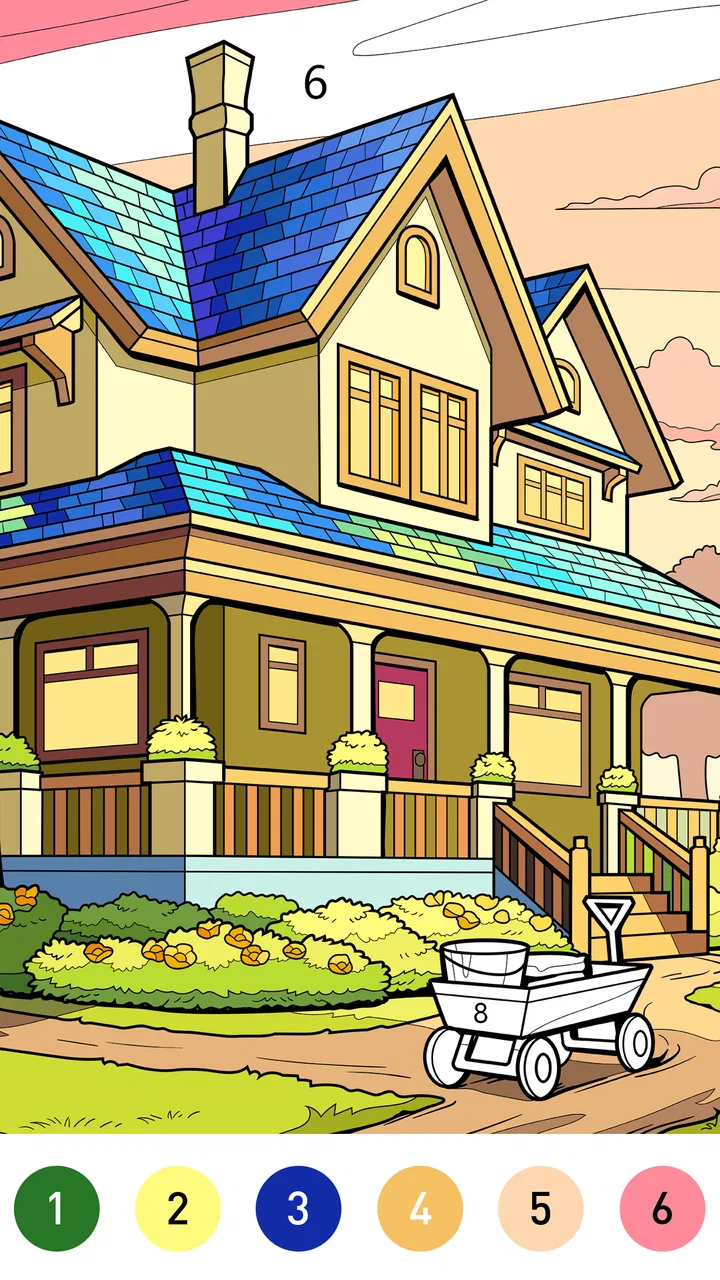
Dream Home Coloring book
- 4.8
- Rating
- 1.00M
- Installs
- Free
- Price

 Analysis by App-foxy
Dream Home Coloring book is the kind of board game I open when I want a quiet activity rather than a competitive challenge. Its focus is simple: coloring house and home scenes at my own pace. That makes it approachable from the first tap, especially if you enjoy decorating themes, gentle visual tasks, or creative games that do not demand fast reactions.
I found the appeal less in “winning” and more in completing a picture that gradually feels personal. The game is free to start, is suitable for Everyone, and runs on Android devices using version 7.0 or later. LoveColoring Game has kept the presentation centered on the home-coloring idea instead of burying it beneath complicated rules, which is helpful for a first-time player.
My main recommendation is to treat it as a short relaxation game, not as a full interior-design simulator. If you want a calm coloring session while waiting for an appointment, winding down before bed, or sharing a simple activity with a child, it is a natural fit. If you expect room planning, furniture placement, or a deep construction system, you may find the experience narrower than the name initially suggests.
You May Also Like

 Blood Strike: 2.5 Anniversary
Blood Strike’s Loadouts Turn Every Drop Into a Tactical Gamble
A close look at Blood Strike’s custom loadouts: how fast access to signature weapons reshapes its battle royale rhythm, rewards preparation, and narrows the gap between fights.

 Pandora - Music & Podcasts
Pandora’s Music Is Easy to Start, but Harder to Recover
Pandora’s strength is its low-effort path from a seed to a station. Its weak spot is how much confidence it asks you to place in connection, setup, and quiet recovery.

 8 Ball Pool
 Is Built on Rivalries, Rematches, and Routine
A close look at the rivalries, rematches, shared routines, and unanswered safety questions that turn a quick pool match into a persistent mobile community.

 Samsung Music
’s Quiet Strength Is Playing What You Already Own
Its reach comes less from spectacle than from dependable access to a personal library. That simplicity is both the app’s strongest retention engine and its ceiling.

 AccuWeather: Weather Radar
AccuWeather Review: A Quick, Clear Forecast for Everyday Decisions
For everyday plans, the best forecast is the one you can understand quickly. AccuWeather makes rain timing, radar, and local conditions easy to act on, with a few trade-offs.

 Hill Climb Racing
Why Hill Climb Racing Still Turns Crashes Into One More Run
A tiny car, a bumpy hill and one more upgrade: Hill Climb Racing keeps resurfacing because its simple chaos makes every near-miss feel personal.
More From Our News Desk



What the first session feels like
The store summary presents a house-and-home coloring experience, and that is the right expectation to bring into the first session. I would not install it looking for a traditional board game with turns, opponents, or a score to chase. The board-game label describes the casual, picture-based format more than a competitive tabletop structure.
The most useful mindset is to choose a picture and work through it patiently. A home-themed image gives the activity an immediate visual direction: walls, rooms, furnishings, and decorative details naturally invite different color choices. Even without turning the game into a design project, I found myself making small decisions about whether a room should feel warm, bright, playful, or restrained.
That creative freedom is also where the game’s limits become clear. A coloring title usually gives you a finished composition to work on, so the satisfaction comes from filling and refining it rather than inventing the architecture. This is very different from a home-building game where you can move a sofa, change a floor plan, or manage resources. Dream Home Coloring book is better for expressing a mood inside an existing scene.
The game’s strong public reception is encouraging: it has an average rating of 4.9 from around 26 thousand ratings, with more than 1 million installs. Those figures suggest that the straightforward concept connects with a large audience, although popularity should not be confused with depth. I still recommend trying a few pictures before deciding whether its pace suits you.
Who will enjoy it most
I would point it toward people who like coloring books but want a specifically domestic theme. It can also work for someone who enjoys visual organization: choosing a palette for a room, keeping related objects consistent, and deciding where a stronger accent belongs. The home setting gives each image a familiar context, so the result can feel more purposeful than coloring disconnected shapes.
It is also a reasonable choice for families because the age rating is Everyone. I would still sit with a young child during the first session, not because the concept is difficult, but because children may need help understanding which areas are selectable and how purchases work. Shared play also turns the coloring process into a small conversation about rooms, furniture, and favorite colors.
Adults who want a demanding puzzle should look elsewhere. There is no reason to expect the concentration of a strategy board game or the progression pressure of a competitive title. Likewise, people searching for a realistic decorating tool may prefer an app built around arranging objects instead of coloring prepared artwork.
Installing it and getting oriented
The game is free to download, which makes the first experiment low-risk. Its current version is 2.1.1, and the Android requirement of 7.0 or later covers many devices while still making it sensible to check compatibility before installing on an older phone or tablet. I would begin on the larger screen available to me, because coloring small home details is more comfortable when the image has room to breathe.
After opening the game, my advice is not to rush through every visible option. First, identify the basic loop: select a home image, choose a color, apply it to an area, and inspect the result before moving on. That simple orientation prevents a common beginner mistake—treating the first picture like a test that must be completed perfectly instead of a canvas for experimenting.
I also recommend starting with a scene that has a mixture of large and small areas. Large sections provide quick progress and help you understand the touch response, while smaller details show whether you enjoy the more careful part of the process. Beginning with the most intricate image can make an otherwise relaxing game feel fiddly before you have learned its rhythm.
Because the game includes in-app purchases ranging from $0.99 to $49.99 per item, I would make a deliberate choice about spending before handing the device to a child. The free entry point is useful for judging the core experience, and there is no need to make a purchase during the first few minutes simply to understand whether coloring at this pace is enjoyable for you.
Making the first meaningful picture
For a satisfying first result, I would use a limited palette rather than selecting a completely different color for every object. Pick a main color for the room, a supporting shade for furniture or trim, and one accent for details. This gives the picture a coherent look and lets you see the difference between coloring mechanically and making a small design decision.
My preferred workflow is to complete the largest background areas first, then move toward furniture and decoration. This creates a visible sense of progress early, but it also makes later choices easier because the surrounding colors are already established. If I begin with tiny objects, I can spend time on details that later clash with the walls or floor.
Another useful habit is to pause after each major section. I look at the whole image rather than judging only the area under my finger. A color that seems attractive in isolation may dominate the room once repeated across several surfaces. The pause also keeps the activity from becoming a race to fill every space.
When I want a more personal result, I use real rooms as inspiration without trying to copy them exactly. A bedroom can borrow the calm colors I associate with evening, while a kitchen can use brighter contrasts. This turns the game into a tiny visual exercise: instead of asking only “Which color is available?”, I ask “What atmosphere do I want this room to have?”
The first successful action is therefore not merely filling one patch. It is finishing a small section and recognizing a clear change in the scene. That moment reassures a new player that the game is easy to enter, while leaving enough room for personal choices to make the result feel like more than an automatic sequence.
Small techniques that improve the experience
One non-obvious advantage of the home theme is that it gives you a natural way to organize color decisions. I group objects by function: surfaces that belong together receive related tones, while decorative pieces get the contrast. This is more reliable than coloring in random order, particularly when the image contains many small household elements.
I also use the game as a short reset between demanding tasks. A realistic scenario would be finishing a long work session, opening one home picture, and completing only a room or a cluster of objects before returning to the day. The activity works well in that format because the goal is visible and self-contained; I do not need to remember a complicated story or maintain a multiplayer schedule.
For children, I would turn palette selection into a simple planning exercise. Ask them to choose a feeling for the room—cozy, sunny, quiet, or energetic—and then select colors that support it. This adds a creative prompt without changing the game into a lesson or making the session feel like homework.
On a phone, I would avoid trying to finish the most detailed parts while walking or in a moving vehicle. Small taps are easier to misplace when the device is shaking, and the relaxing quality disappears if I am constantly correcting accidental selections. A stable seat and a few uninterrupted minutes make a noticeable difference.
Where first-time players may hesitate
The biggest possible confusion is the relationship between a coloring game and the board category. If you arrive expecting dice, turns, opponents, or tactical choices, the experience may seem mislabeled. I found it more helpful to think of the board element as a contained visual activity: the picture is the play area, and the progress comes from completing it rather than defeating another player.
Another point to understand is that the home theme does not automatically mean full interior customization. The pleasure comes from coloring the presented artwork. Someone who wants to rotate furniture, build rooms, compare floor plans, or manage a virtual household should choose a dedicated design or simulation game instead. This distinction matters because the two genres can look similar in screenshots while feeling completely different in use.
New players may also wonder whether they need to spend money to get started. Since the game is free, I would first explore the basic coloring loop and decide whether the available experience is enough for my habits. The optional purchase range is broad, so I would avoid tapping through offers casually. A purchase can make sense for someone who plays often and wants additional content, but it is not part of my recommendation for evaluating the game.
There is a practical trade-off between detail and comfort. A more intricate image can provide a longer, more absorbing session, yet it can also require more precise taps and patience. If I am tired, I choose a simpler-looking scene and save detailed work for a time when I actually want to concentrate. That small adjustment keeps the game soothing instead of turning it into a chore.
The same applies to expectations about progression. I would not use this as my main game if I need constant unlocks, escalating challenges, or a strong sense of competition. Its appeal is repeatable calm and visual completion. That can be a strength for casual players, but a weakness for anyone who needs a new mechanic every few minutes.
How it compares with familiar alternatives
Compared with a physical coloring book, this game is more convenient when I want to start immediately and avoid carrying supplies. It also makes experimenting less intimidating because I can try a color direction without worrying about wasting a page. The physical alternative still wins for people who enjoy paper texture, pencils, markers, and a finished page they can keep outside a screen.
Compared with general digital coloring apps, the home focus is its clearest identity. A broad coloring library may offer animals, mandalas, landscapes, or abstract patterns, while this title keeps returning to rooms and domestic spaces. That makes it easier to recommend to someone who specifically enjoys houses, interiors, and everyday objects, but less suitable for a player who wants a wide range of subjects.
Compared with interior-design games, this is the lighter option. I can make color choices without learning a building system or balancing a virtual budget. The trade-off is that my influence stays within the coloring task. If the important part for me is placing a lamp beside a sofa or redesigning an entire floor, a design simulator will offer more control.
Compared with competitive board games, it removes pressure rather than adding strategy. There is no need to wait for another player, learn a long rulebook, or protect a lead. That makes it a good solo wind-down activity, but it will not replace the social tension and decision-making that make traditional board games exciting.
My next-step routine after the first picture
Once I finish the first meaningful section, I do not immediately chase the largest or most complicated image. I look for a picture that lets me practice a different decision: perhaps a warmer palette, stronger contrast, or a more consistent approach to furniture. This turns the next session into a small creative experiment instead of repeating the same motions.
I also keep a personal rule of stopping at a satisfying point. Completing one room or one visually important area can be enough for a break. The game does not need to occupy an entire evening to be worthwhile, and stopping before I feel tired helps preserve the sense that I am choosing to play rather than merely finishing a task.
For a shared session, I would let one person choose the overall mood and another choose accent colors. That creates collaboration without needing separate accounts, competition, or elaborate instructions. It is especially useful when introducing the game to someone who might be unsure about coloring: the focus shifts from “doing it correctly” to explaining why a color belongs in a particular room.
LoveColoring Game’s title has earned a 4.9 average and more than a million installs, and I can understand why its accessible home theme appeals to so many players. Still, my positive view depends on using it for what it does best. It is a calm, approachable coloring game with a clear domestic identity, not a replacement for a full decorating simulator or strategic board game.
I would recommend Dream Home Coloring book to a first-time user who wants an easy creative break, a parent looking for an Everyone-rated activity to explore together, or anyone who likes giving rooms a personal color mood. I would skip it if my priority were competitive play, deep customization, or a large variety of unrelated coloring subjects. For the right player, the free starting point and gentle learning curve make it easy to try, while the home-centered artwork gives each session a bit more purpose than simply filling random shapes.
After installing it, my practical advice is simple: choose a moderately detailed home scene, color the broad background areas first, limit your initial palette, and finish one recognizable section before judging the game. That path gets you to the first satisfying result quickly and gives you a fair sense of whether its quiet, room-by-room style belongs in your regular rotation.
FAQs for Dream Home Coloring book
01What is Dream Home Coloring Book and how does it work?
Dream Home Coloring Book is a mobile application designed for both Android and iOS devices, offering an immersive coloring experience for users who enjoy interior design. Users can select from a variety of home-themed illustrations and use a palette of colors to bring these designs to life. It's a relaxing and creative outlet that also allows for personalization of each design.
02Is Dream Home Coloring Book suitable for all age groups?
Yes, Dream Home Coloring Book is designed to be user-friendly and suitable for all age groups. The app provides simple navigation and intuitive design tools, making it accessible for children, teens, and adults alike. It is especially great for those looking for a stress-relieving activity or a creative hobby.
03Are there any in-app purchases or ads in Dream Home Coloring Book?
While Dream Home Coloring Book is free to download, it does offer in-app purchases. These purchases can unlock additional color palettes, exclusive designs, and ad-free experiences. The app does include ads in the free version, which may be removed by opting for the premium version through in-app purchases.
04Do I need an internet connection to use Dream Home Coloring Book?
No, Dream Home Coloring Book can be used offline. Once downloaded, users can access designs and color them without needing an internet connection. However, an internet connection is required for initial installation, updates, and to access any online-exclusive content or features.
05Can I share my creations from Dream Home Coloring Book on social media?
Yes, the app allows you to easily share your completed designs on social media platforms. Once you finish coloring a design, you can save it to your device and use the app’s built-in sharing features to post directly to platforms like Instagram, Facebook, or Twitter, showcasing your artistic creations to friends and followers.
Pros
- Wide range of intricate designs.
- User-friendly interface.
- Offline mode available.
- Regular updates with new pages.
- Soothing background music.
Cons
- Limited free designs.
- Requires large storage space.
- Ads can be intrusive.
- In-app purchases are pricey.
- Occasional app crashes.

Dream Home Coloring book
Gallery